





Lilu Casino Registration via Google or Email
At Lilu Casino, access to the gaming lobby and sportsbook begins with a short sign-up form. An email address and password are enough to create an account, while Google users can choose a quicker option. Both methods work on desktop and mobile, with no separate app required.
Once the address has been confirmed, members can open their personal dashboard, choose a payment method, set gambling limits and explore welcome offers. Identity documents are checked later, before the first withdrawal. This keeps the initial process straightforward, with the necessary financial checks taking place after the account has been created.
How to Sign Up with Email or Google
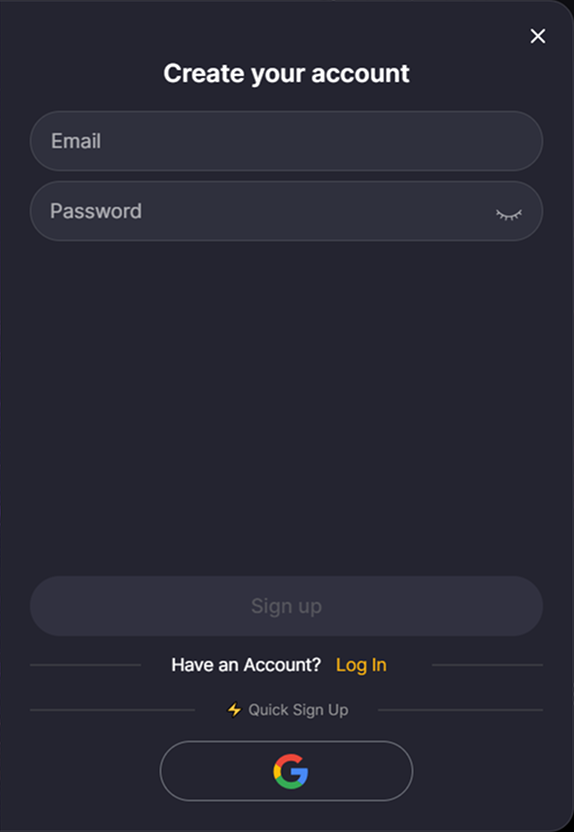
The standard form contains just two required fields: Email and Password. The address serves as the username for subsequent visits, while customers create their own password. A name, telephone number and home address are not requested at this stage.
The standard sign-up process involves four steps:
- Open lilu.bet and select the registration button.
- Enter a valid email address and create a strong password.
- Read the website’s terms, provide the necessary consent and submit the form.
- Follow the link in the confirmation message to complete the process.
Alternatively, Google Quick Sign Up removes the need to fill in the fields manually. The service asks users to authenticate through an existing Google account, after which the necessary details are transferred to create a profile. There is no need for a separate password for the site.
Lilu Casino Registration supports both options, so it makes sense to choose the one intended for future visits. Standard sign-in requires the original credentials, whereas the quicker method relies on access to Google.
Email Confirmation and First Sign-In
The link in the welcome message verifies that the address belongs to the person registering. Until this step is completed, the cashier and gaming sections remain unavailable.
Occasionally, the message may land in the Spam folder. If it is missing there too, check that the address was entered correctly. Assistance with activation is available through the 24-hour live chat, where staff communicate in English.
Once the account is active, the personal dashboard becomes accessible. It contains settings, balance information and financial functions. A separate telephone number is not used for signing in, and the standard process does not involve SMS verification.
Account Settings and the First Deposit
Creating a profile gives members an opportunity to explore their settings and choose a suitable welcome offer. The dashboard includes limits on deposits, losses, total betting turnover and the maximum amount of an individual stake. These restrictions can be set before spending any real money.
Bank cards, e-wallets and other methods listed in the cashier can be used for the first payment. The minimum amount is £20.
The gaming lobby and sportsbook have different introductory programmes. The Welcome Package covers four deposits with additional funds and free spins, while sports customers are offered three consecutive free bets.
Before confirming a transaction, it is worth reading the relevant promotional terms. Where a code or separate opt-in is required, this must be entered or completed before the payment is finalised.
Identity Verification Before Withdrawals
The short registration form allows customers to create a profile without uploading documents in advance. However, verification is required before winnings can be withdrawn. This confirms the account holder’s identity and ownership of the payment details used.
During the checks, the operator may request a passport, driving licence or another accepted form of identification, together with proof of address and information about the chosen payment method. The exact documents depend on the security team’s requirements.
For British customers, a passport and driving licence are familiar forms of identification. The operator, however, determines which documents it will accept.
Personal information must match the details associated with the payment instrument. Any discrepancies may lead to requests for further evidence.
No specific document processing time is stated. Customers can check the progress of their verification through support.
Password Recovery and Sign-In Problems
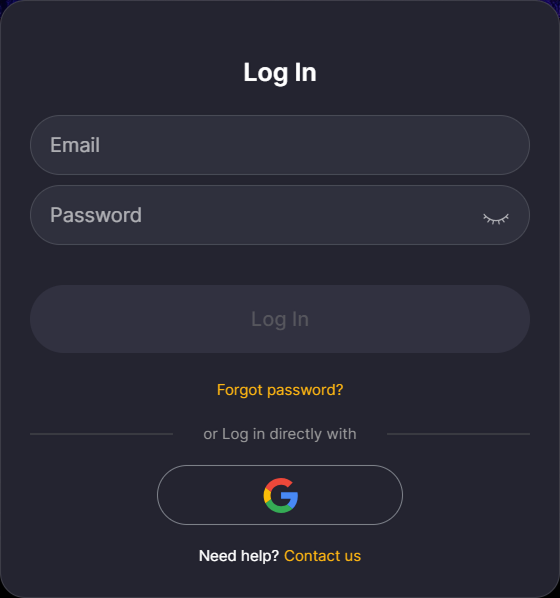
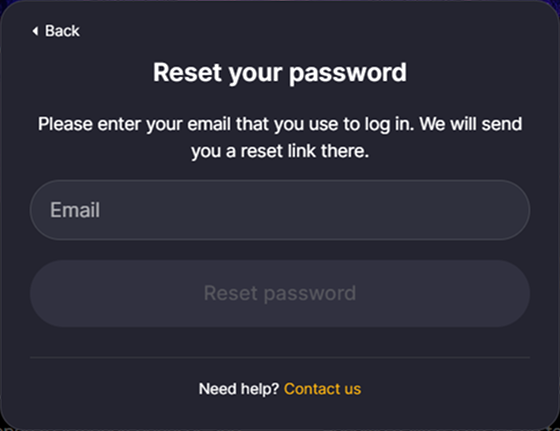
Returning visitors can use their original sign-in method. If a password has been forgotten, it can be reset by email.
On the sign-in page, select the password recovery option, enter the registered address and follow the instructions in the message received. Once a new password has been created, access to the dashboard is restored.
Google users follow a different procedure. Authentication takes place through the external service, so any recovery of access to that account is handled using Google’s own tools.
If You Cannot Sign In
Start by checking the information entered. If the system reports that the email address is already registered, a profile may have been created previously. In that case, use the recovery option rather than attempting to sign up again.
For other errors, live chat can provide assistance. It is usually enough to give the address associated with the account and the message displayed on screen. Passwords and verification codes should never be shared with support staff.
Registering on a Smartphone
The mobile version allows visitors to complete the process directly in Safari on an iPhone or Chrome on an Android device. The fields are adapted for touchscreens, and the confirmation message can be opened in the phone’s email app.
After signing in, the gaming library, sports markets, cashier and main settings are available. Switching devices does not require another registration, as the existing credentials continue to work.
The operator does not offer dedicated iOS or Android apps. For quicker access, a website shortcut can be saved to the home screen.
Account Security and Gambling Controls
Email is used both to confirm registration and recover access, making its protection particularly important. It is advisable not to reuse the same password on other websites and to sign out manually after using a shared device.
Financial restrictions can be managed from the personal dashboard. For a longer break, self-exclusion is available for periods ranging from six months to five years and can be arranged through customer support.
The operator also directs visitors to BeGambleAware and GamCare, which provide responsible gambling information and specialist assistance.
The gaming library, sports betting and other features are covered on the main page.